
Products and inventory
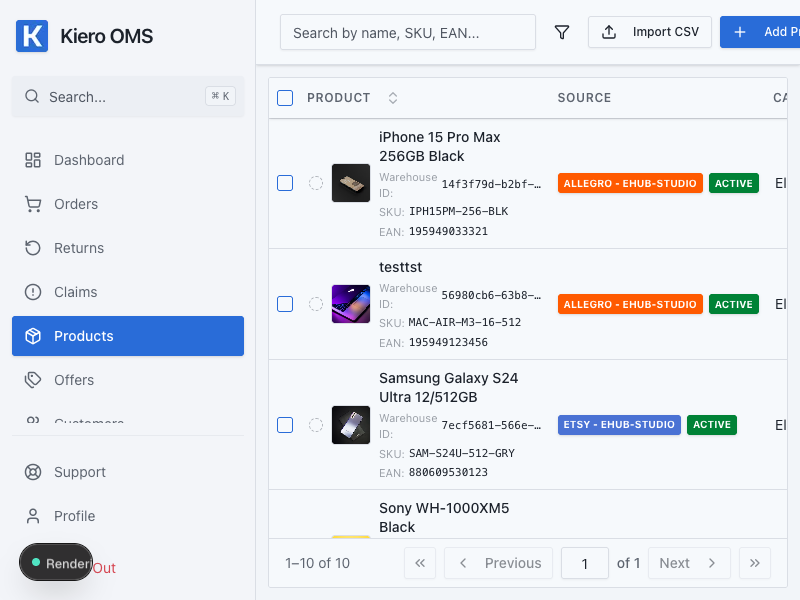
The Products module is the central catalog for items, variants, prices, and inventory levels. Allegro listings and other sales channels are linked to this catalog.
Configuration goal
After setup, every product you sell should have a unique SKU or EAN, a correct inventory level, and linked listings. This allows Kiero OMS to update prices and stock safely across connected channels.
Quick setup
- Open Products and confirm that the main product catalog is available.
- Add a product manually or start an import from a connected channel.
- Enter the name, SKU or EAN, price, and opening stock level.
- Save the product and open its details to confirm that the stock was saved.
- Open Offers and link each marketplace listing to the correct product.
How to verify the result
- the product appears in the list with the correct SKU/EAN;
- the inventory level is zero or higher;
- the marketplace listing shows a product mapping;
- after changing stock in Kiero OMS, the channel receives an update according to your plan's sync interval.
Common issues
A listing cannot be linked to a product
Check that the SKU or EAN in the listing exactly matches the catalog value. If automatic mapping does not work, search for the product manually by name or SKU.
The inventory level looks wrong
Check that you edited the correct variant and that the product is not linked to another listing. Do not create a duplicate product only because a listing has a different title.
The description or photos are not current
Check which channel is the source of the data and whether the listing has an active mapping. Then run the available synchronization or refresh the listing data.
Best practice
Define one SKU convention before importing many products. Avoid changing an SKU after listings are linked because it can break automatic mapping and require the listing to be connected again.
Extended product data
A product can contain variants, supported-currency prices, images, descriptions, stock thresholds and publication data. For large changes, use import or bulk editing only after checking a sample. A digital product also requires fulfilment and licence configuration.